LITTLE WEB SERVER SCHEMATIC
ESP32-S3 Super Mini + GC9A01 Display + Charging Module

PIN CONNECTIONS
| COMPONENT | COMPONENT PIN | ESP32-S3 PIN | WIRE COLOR |
|---|---|---|---|
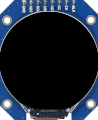
| GC9A01 Display | VCC | 3V3 | Red |
| GND | GND | Black | |
| SCL/SCLK | GPIO 12 | Yellow | |
| SDA/MOSI | GPIO 11 | Cyan | |
| RST | GPIO 10 | Purple | |
| DC | GPIO 9 | Orange | |
| CS | GPIO 8 | Green | |
| BL (Backlight) | GPIO 7 | White | |
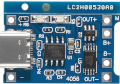
| TP4056 Charger | OUT+ | ESP32 5V | Red |
| OUT- | ESP32 GND | Black | |
| B+ | Battery (+) | Red | |
| B- | Power Switch OUT | Black | |
| Power Switch | IN | Battery (-) | Black |
| OUT | TP4056 B- | Black | |
| 18650 Batteries (x2) | Positive (+) [Parallel] | TP4056 B+ | Red |
| Negative (-) [Parallel] | Power Switch IN | Black |
IMPORTANT NOTES
- Display: Uses software SPI. No MISO connection needed (write-only).
- Backlight: GPIO 7 controls display brightness. Set HIGH to turn on.
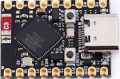
- 5V Input: The TP4056 OUT+ provides ~4.2V (fully charged) to ~3.0V (discharged) from the batteries. This connects to the ESP32's 5V pin, which feeds the onboard voltage regulator. Despite the name "5V", the ESP32-S3 accepts 4.0-6.0V on this pin.
- 3.3V Output: The ESP32's internal LDO regulator converts the 5V input down to 3.3V. This 3.3V rail powers all external components (display). Never connect 5V directly to components - they require 3.3V!
- Power Switch: Located on the battery NEGATIVE rail between the 18650s and TP4056 B- pin. Placing the switch on the negative rail is safer - it completely isolates the batteries when OFF, preventing any current flow. Turn OFF before connecting USB to charge safely, as this prevents back-feeding the batteries during charging.
- Batteries: Two 18650 cells wired in PARALLEL (3.7V nominal, doubled capacity). Connect to TP4056 B+ and B- pins.
- Charging: TP4056 charges batteries via USB-C. Red LED = charging, Green LED = full.
- Ground: All GND pins connect to common ground rail (ESP32 GND, display GND).
- Web Server: Serves files from LittleFS. Upload data folder separately using LittleFS upload tool.